Why real estate professionals use Apple Maps
Apple Maps' Guides feature lets you group properties by type, neighborhood, or client. Share a Guide link and clients see all properties on a map on their iPhone. No app installs, no accounts, no Google tracking of which properties they viewed.
Convert your property spreadsheet
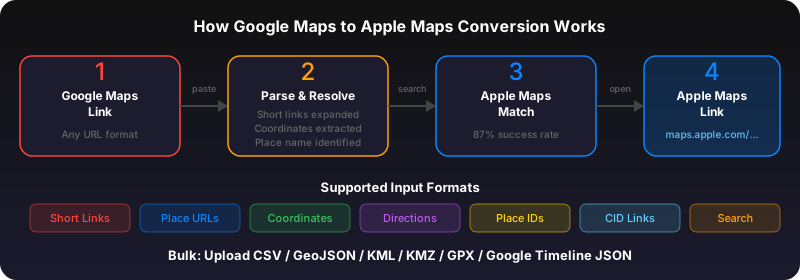
Export your property listings as a CSV with addresses or Google Maps links. Upload to gotoapplemaps.com and get an Apple Maps Guide. Each property appears as a pin with its name and notes.
Share with clients
Send the Guide link to your client via text or email. They tap it, and all the properties appear on their Apple Maps. They can get directions to each one, see the neighborhood, and use Look Around for a street-level preview.
Use GoToAppleMaps to convert your Google Maps links to Apple Maps in seconds — free, private, no signup.
Frequently asked questions
Yes. Include a notes column in your CSV with details like price, bedrooms, or showing times. These appear as descriptions in the Apple Maps Guide.