The problem
When you share a location from Apple Maps, it creates a maps.apple.com link. Android users can open this in a browser and see the location, but it won't open in Google Maps or any other Android maps app directly. The experience is clunky.
Option 1: Share coordinates instead
In Apple Maps, tap the location, scroll down, and copy the coordinates (latitude, longitude). Send these numbers to your Android friend. They can paste them into Google Maps and get the exact location. Universal and works on any device.
Option 2: Use the Apple Maps web link
The maps.apple.com link does work in Android browsers -- it shows a map with the pin. It's not as smooth as opening a native maps app, but the recipient can see the location and get directions from the web page.
Option 3: Share both links
Send both the Apple Maps link and the place name. The Android user can search the place name in their preferred maps app. This is the most reliable approach for mixed-platform groups.
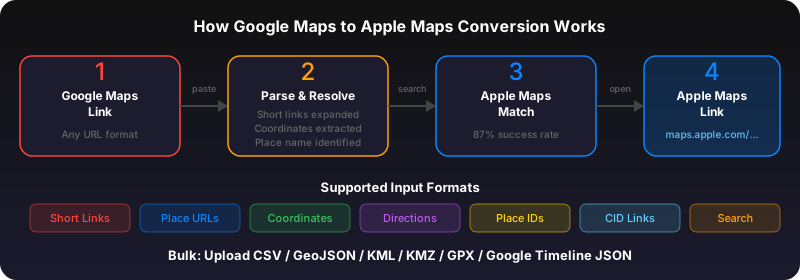
Use GoToAppleMaps to convert your Google Maps links to Apple Maps in seconds — free, private, no signup.
Frequently asked questions
No. GoToAppleMaps converts Google Maps to Apple Maps. Android users already have Google Maps. The web tool works in any browser though.