Google Maps links in Notion
Notion is popular for travel planning, property hunting, and restaurant lists. Many people embed Google Maps links in Notion databases or pages. These links only open in Google Maps or a browser -- they can't open in Apple Maps without conversion.
Export links from Notion
For a Notion database with a URL column containing Google Maps links: click the three-dot menu on the database, select Export, choose CSV. For individual pages, copy the Google Maps links manually.
Convert and create a Guide
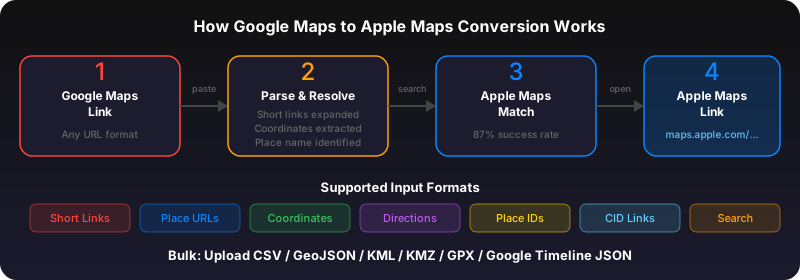
Upload your exported CSV to gotoapplemaps.com or paste individual links into the Quick Convert. Get an Apple Maps Guide with all your Notion locations.
Use GoToAppleMaps to convert your Google Maps links to Apple Maps in seconds — free, private, no signup.
Frequently asked questions
Yes. Convert your locations, then replace the Google Maps links in Notion with Apple Maps links (maps.apple.com URLs). They'll open in Apple Maps when clicked.