Why Slack uses Google Maps
When someone pastes a Google Maps link in Slack, it creates a rich preview with a map thumbnail powered by Google. Clicking it opens google.com in your browser. There's no way to change Slack's preview behavior, but you can convert the link.
Convert on Mac
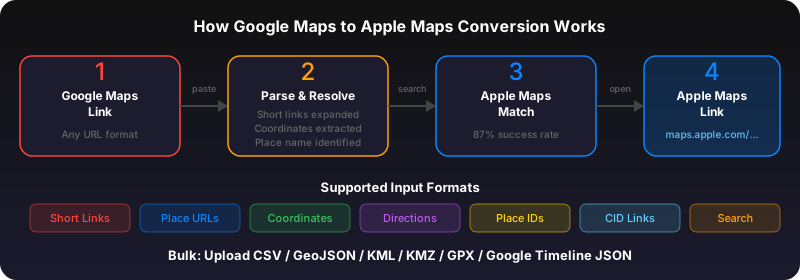
Right-click the Google Maps link in Slack. Click "Copy Link." Open gotoapplemaps.com/quick in Safari, paste, and convert. The Apple Maps link opens in the Apple Maps app on your Mac.
Convert on iPhone
In the Slack iOS app, long-press the Google Maps link and tap "Copy Link." Open Safari, go to gotoapplemaps.com/quick, paste and convert.
Team office locations and meeting spots
If your team regularly shares office locations or meeting spots via Google Maps, consider converting them all to an Apple Maps Guide using the bulk converter. Share the Guide link in your Slack channel -- it works for everyone on Apple devices.
Use GoToAppleMaps to convert your Google Maps links to Apple Maps in seconds — free, private, no signup.
Frequently asked questions
Not currently, but GoToAppleMaps has a free API you can integrate with Slack workflows. See the API documentation for details.