Where you'll find Google Maps links in email
Booking confirmations from hotels, airlines, and event platforms almost always include Google Maps links for the venue or property. Restaurant reservation confirmations from OpenTable, Resy, and others embed Google Maps directions. These are standard google.com/maps URLs.
Convert on iPhone or Mac
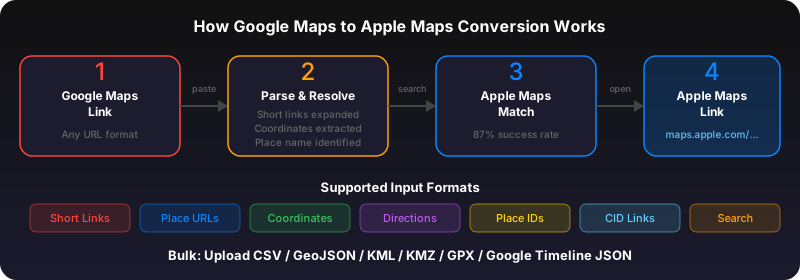
Long-press (iPhone) or right-click (Mac) the Google Maps link in your email. Copy the URL. Go to gotoapplemaps.com/quick, paste, and convert. The Apple Maps link works on both iPhone and Mac.
Bulk convert travel itinerary links
Planning a trip with multiple hotel, restaurant, and activity links? Copy all the Google Maps URLs into a text file (one per line) and use the bulk converter to convert them all at once into an Apple Maps Guide. Open the Guide on your iPhone and all locations appear on your map.
Use GoToAppleMaps to convert your Google Maps links to Apple Maps in seconds — free, private, no signup.
Frequently asked questions
Yes. Whether you use Apple Mail or Gmail on iPhone, the Google Maps links in emails are the same URLs. Copy and convert them the same way.