How Telegram handles locations
Telegram has two ways to share locations: native location pins (via the paperclip > Location menu) and pasted Google Maps links. Native Telegram location pins show a map preview in the chat and open in Apple Maps on iPhone by default. Only pasted Google Maps URLs need conversion.
Convert a Google Maps link from Telegram
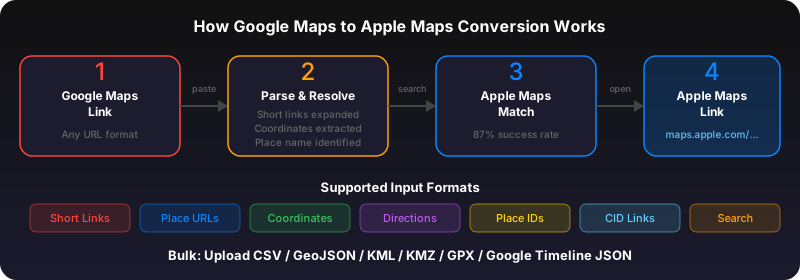
Long-press the Google Maps link in your Telegram chat. Tap "Copy." Open Safari and go to gotoapplemaps.com/quick. Paste the link and tap Convert. Tap the resulting Apple Maps link to open the location.
Tip: Ask contacts to share native locations
If you frequently receive Google Maps links in Telegram, ask your contacts to use Telegram's built-in location sharing instead. It works better for both parties: the sender doesn't need Google Maps installed, and the receiver sees a map preview that opens in their default maps app.
Use GoToAppleMaps to convert your Google Maps links to Apple Maps in seconds — free, private, no signup.
Frequently asked questions
Telegram's live location sharing uses its own map view within the app. When you tap 'Directions,' it opens Apple Maps on iPhone by default.