Why iMessage shows Google Maps links
When an Android user or someone using Google Maps shares a location with you via SMS/iMessage, it arrives as a google.com URL. Even though iMessage supports rich Apple Maps previews for maps.apple.com links, it can't preview or redirect Google Maps URLs.
Convert the link
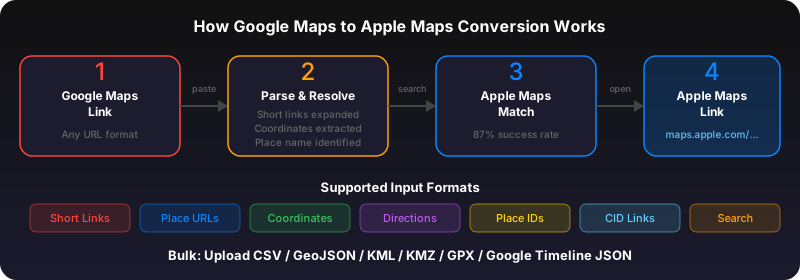
Long-press the Google Maps link in Messages. Tap "Copy Link." Open Safari, go to gotoapplemaps.com/quick, paste and convert. The resulting Apple Maps link opens in Apple Maps with full directions support.
Share back as Apple Maps
Once you've opened the place in Apple Maps, tap Share and send the Apple Maps link back in your iMessage conversation. Now everyone in the thread has a link that works natively on Apple devices.
Use GoToAppleMaps to convert your Google Maps links to Apple Maps in seconds — free, private, no signup.
Frequently asked questions
Not automatically. iOS doesn't support URL interception for third-party domains. You need to manually convert or use the GoToAppleMaps share sheet extension.